WP Rocket Insights - Performance tracking in the WP admin
A website that loads quickly today may appear sluggish tomorrow – and nobody notices immediately. This is exactly where the risk lies: performance problems creep in unnoticed, while readers drop off and rankings fall. With WP Rocket 3.20, there is now a solution that closes this blind spot: Rocket Insights, the new integrated monitoring tool.
Why performance monitoring is essential
Bloggers and website operators spend a lot of time optimizing content. But when loading times suddenly increase after updates, plugin changes or traffic spikes, the entire user experience suffers. Studies such as the one by Deloitte (“Milliseconds Make Millions”, 2020) show: Just 0.1 seconds faster can increase conversions by up to 8%. Conversely, even a small delay is enough to lose sales or reader loyalty.
The contradiction: although many use WP Rocket for optimization, they then rely on external tools such as PageSpeed Insights or GTmetrix to monitor results. Monitoring becomes an annoying additional task. Rocket Insights solves this problem by bringing tracking and optimization together – directly in your WordPress dashboard.
Your new performance buddy in the dashboard
Rocket Insights is not just an add-on, but an integrated workflow accelerator. Instead of jumping between tools, you get everything in one place:
- Global Score: An overview of the average performance of your most important pages.
- Individual page tracking: Each page gets a score that lets you immediately identify weaknesses.
- Direct reports: One click takes you to the detailed GTmetrix Mobile reports.
- Automatic monitoring: In the Premium plan, Rocket Insights takes over testing according to your schedule – daily, weekly or monthly.
Mini story: Imagine you run a travel blog. A new plugin for image galleries causes your homepage to load twice as long without you noticing. In the past, you wouldn’t have noticed until weeks later, when traffic starts to drop. With Rocket Insights, you can see the performance drop immediately and react before readers and Google notice.
Step by step: How to get started with Rocket Insights
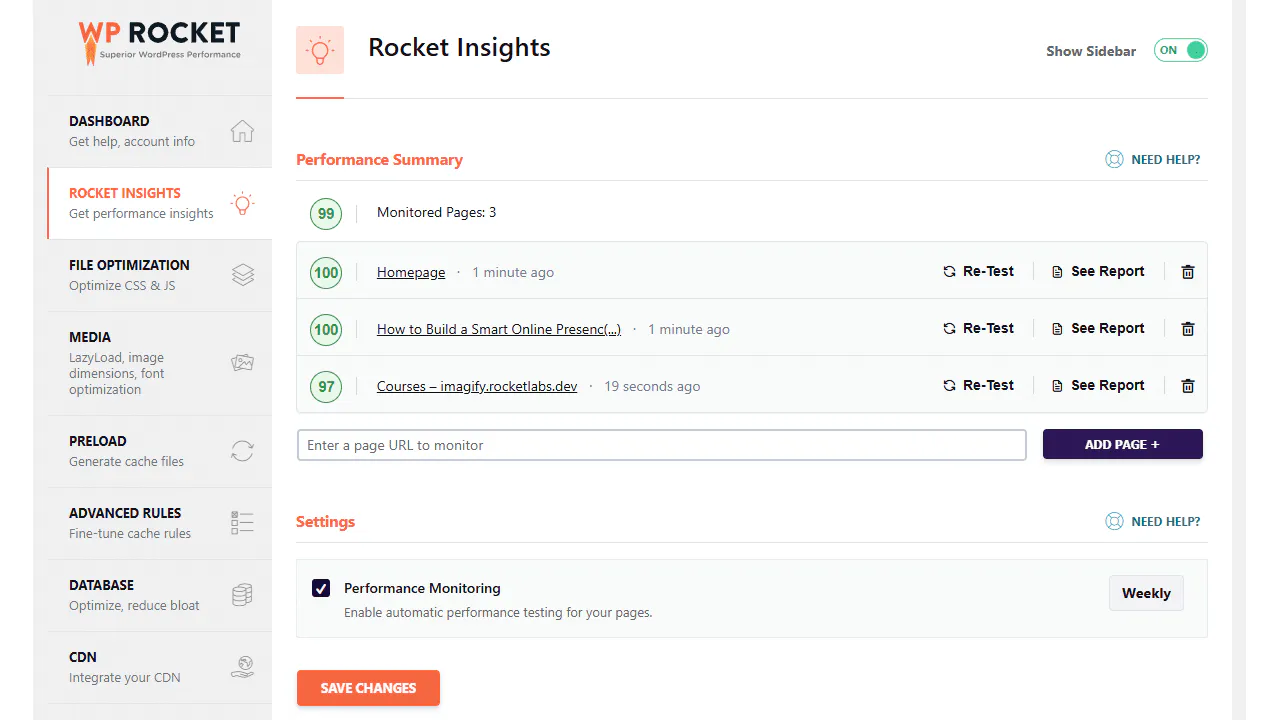
So that you not only know what Rocket Insights is, but can also get started right away, here is a short guide:
1. Perform update
Install or update WP Rocket to version 3.20. Rocket Insights is automatically included.
2. Add first page
- When you reactivate WP Rocket, your start page will be added automatically.
- Existing users will find the new Rocket Insights tab in the dashboard. Click on“Add page”, enter the URL and confirm.
3. Check global score
The average value of your tracked pages shows you immediately whether the overall performance is stable.
4. Start re-tests
Use the re-test function for targeted tests. The Free plan gives you 3 tests per month.
5. Activate the premium option
If you want to track more than 3 pages or need automatic monitoring, upgrade in the dashboard with a click.
6. Interpret results
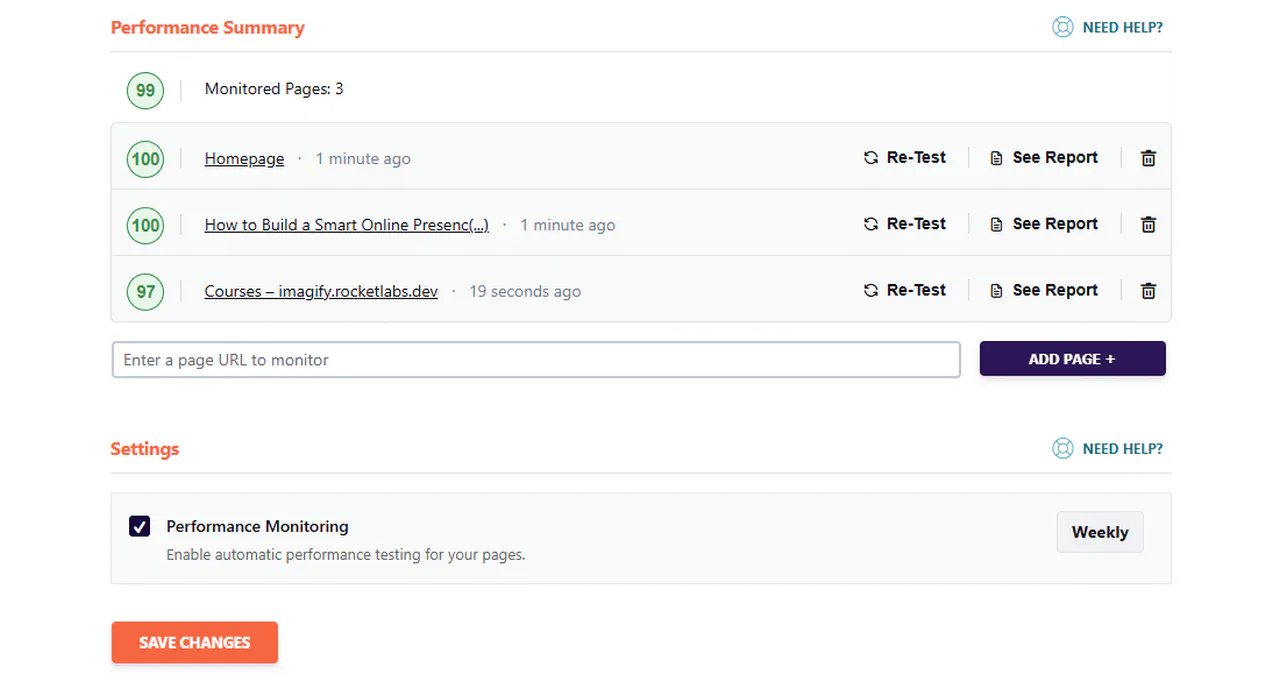
Each tracked page shows you:
- Note: Quick overview of performance.
- Report link: Detailed analysis including suggestions for improvement.
- History: With Premium, you can track trends and changes over time.
Monitor speed automatically
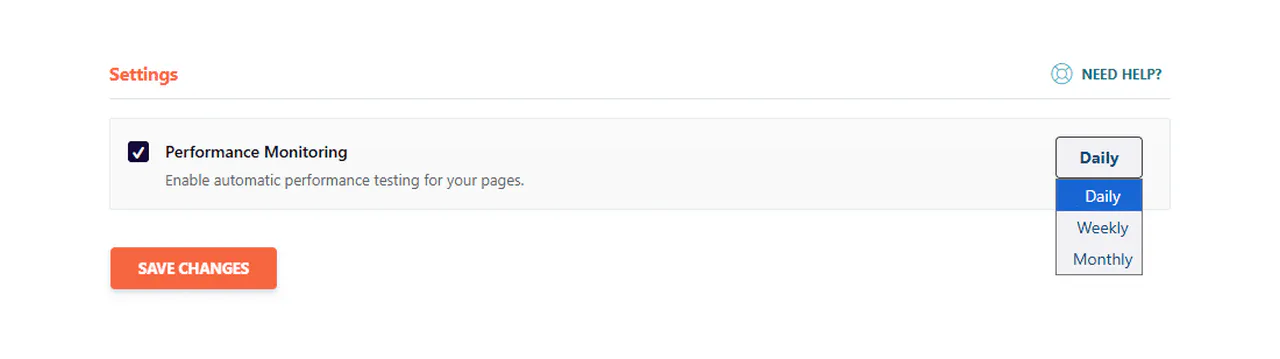
Think of it like this: With the Premium plan, you can set Rocket Insights to check your website automatically – daily, weekly or monthly.
while you take care of your business, the check runs in the background. You get fresh results according to your schedule directly in the dashboard.
Free vs. Premium: Which version is right for you?
| Feature | Free | Premium |
|---|---|---|
| Tracked pages | up to 3 | up to 10 |
| Re-tests | 3/month | unlimited |
| Automatic monitoring | ❌ | ✅ |
| Global score | ✅ | ✅ |
| Mobile Reports | ✅ | ✅ |
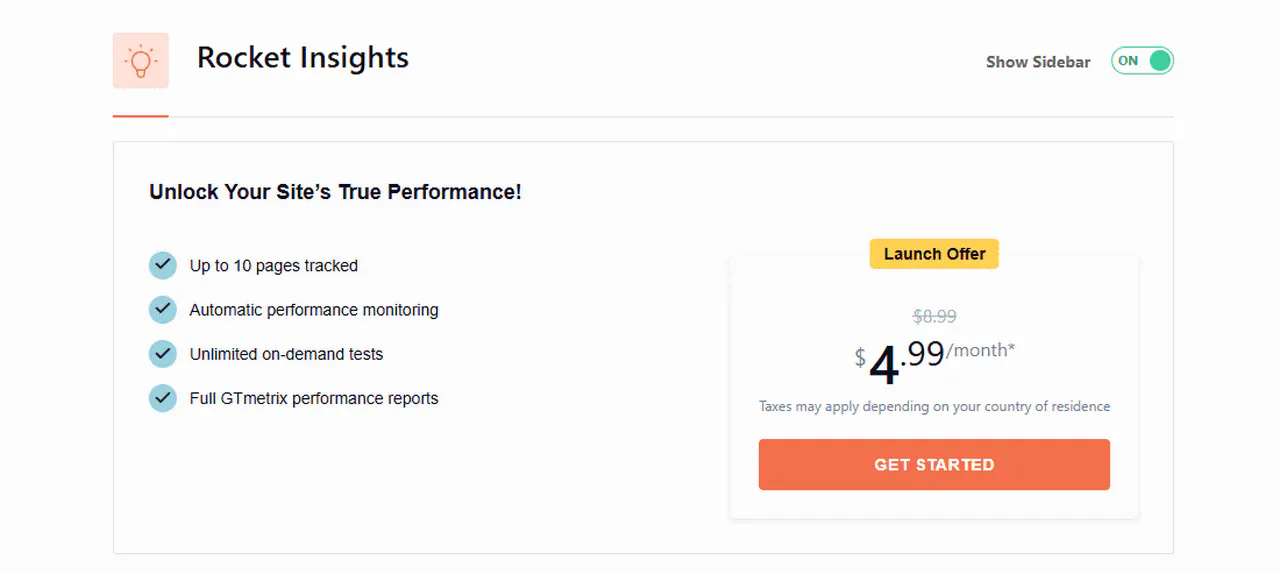
The Premium plan starts at a launch price of €4.99/month in the first year, then €8.99/month.
Upgrading to the Premium plan is easy. On the dashboard home page you will find a “Get Advanced” button:
There you click on the orange “Get Started” button.
More than just an add-on: a new workflow
Rocket Insights fundamentally changes the way bloggers and website operators work:
- Proactive instead of reactive. Recognize problems early before they become expensive.
- Everything at a glance. Monitoring and optimization take place in the same tool.
- Focus on content. Instead of constantly checking performance manually, monitoring runs in the background.
Metaphor: Rocket Insights is like the autopilot in an airplane. You control the direction (optimization), but the systems constantly monitor whether everything remains stable.
Concrete impulses for you to act
- Update immediately. Rocket Insights is only active with WP Rocket 3.20.
- define 3 pages. Select the pages that are crucial for traffic and conversion.
- Use targeted re-tests. Observe how updates or new plugins affect performance.
- Test premium. For larger projects or stores, automatic monitoring saves you a lot of time.
- Manage performance consciously. Don’t wait until issues occur to react – use Rocket Insights as an early warning system.
A look into the future
Rocket Insights 1.0 is just the beginning. Planned are:
- Core Web Vitals directly in the dashboard.
- Historical data for detailed comparisons.
- Performance information directly in the post overview.
This will turn your WordPress backend into a real control center.
Reflection
Performance optimization used to be a two-step process: set and hope. From 2025: optimize and measure – both in one tool. Rocket Insights takes away the uncertainty and gives you clarity about the state of your site.
If you want WP Rocket set up perfectly by an expert, take a look at my WP Rocket service.
The crucial question: Do you want to wait until your performance suffers, or do you want to have control at all times from now on?